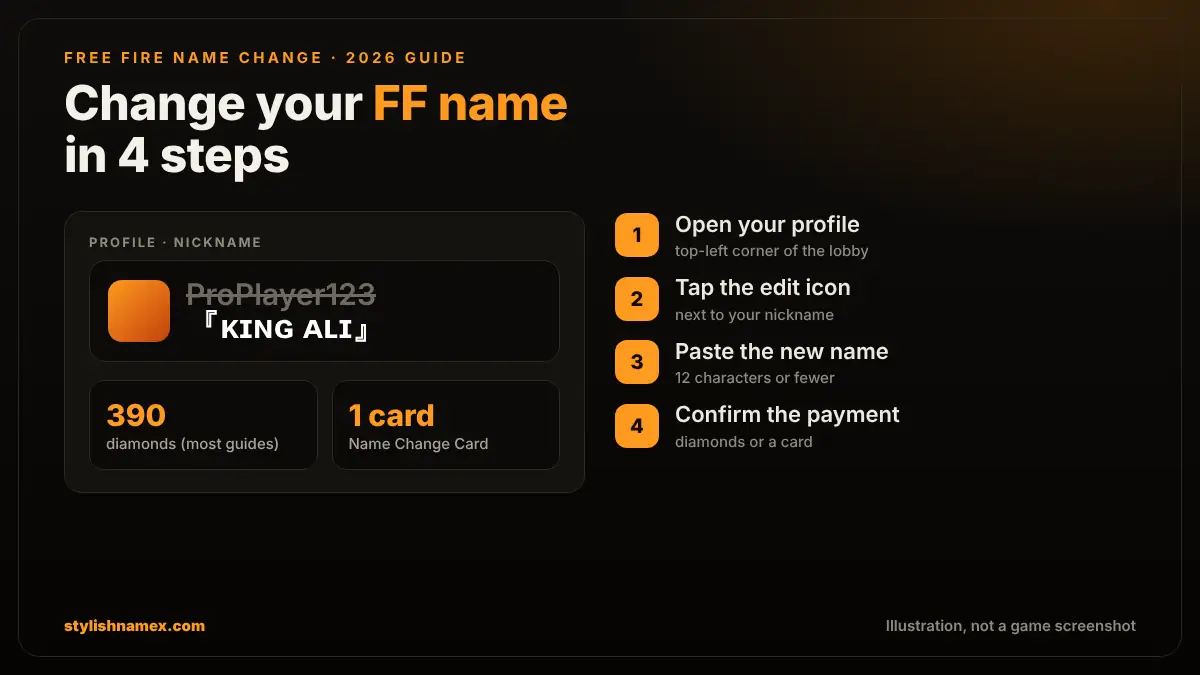
To change your name in Free Fire, open your profile, tap the edit icon next to your nickname, type or paste the new name (12 characters or fewer) and confirm with diamonds or a Name Change Card. Most guides list the diamond price as 390 diamonds. A Name Change Card from the Guild Store (200 guild tokens plus a small diamond fee) is the cheapest way.
This guide covers every step of a Free Fire name change, what it costs, how to get a Name Change Card, the name rules that make a rename fail, and how to pick a stylish name before you pay. It works the same in Free Fire and Free Fire MAX, because both use the same account.
Quick tip: make and check your new name first. A rename is paid the moment you confirm, so a name that is too long or shows as boxes wastes diamonds.
Free Fire name change: quick facts
| Question | Answer |
|---|---|
| Where do I change my name? | Profile (top-left of the lobby), then the edit icon next to your nickname |
| How much does it cost? | Most guides list 390 diamonds per change; the game shows the current price before you pay |
| Cheapest way | A Name Change Card from the Guild Store, events or the Mystery Shop |
| Name length | Up to 12 characters, and every symbol counts |
| How often? | As often as you like, but every change costs diamonds or a card |
| Free Fire MAX | Same account, so a rename in one shows in both |
How to change your name in Free Fire (step by step)
The Free Fire name change takes about a minute: profile, edit icon, new name, confirm.
- Get your new name ready. Make it in the Free Fire name style generator, check that it shows 12 characters or fewer, and copy it.
- Open your profile. In the lobby, tap your avatar and name in the top-left corner.
- Tap the edit icon (a small pen) next to your current nickname.
- Paste the new name into the box. If the game says the name is taken or invalid, change one letter or symbol and try again.
- Choose how to pay, diamonds or a Name Change Card, and confirm. Your new name shows straight away.
How much does a Free Fire name change cost?
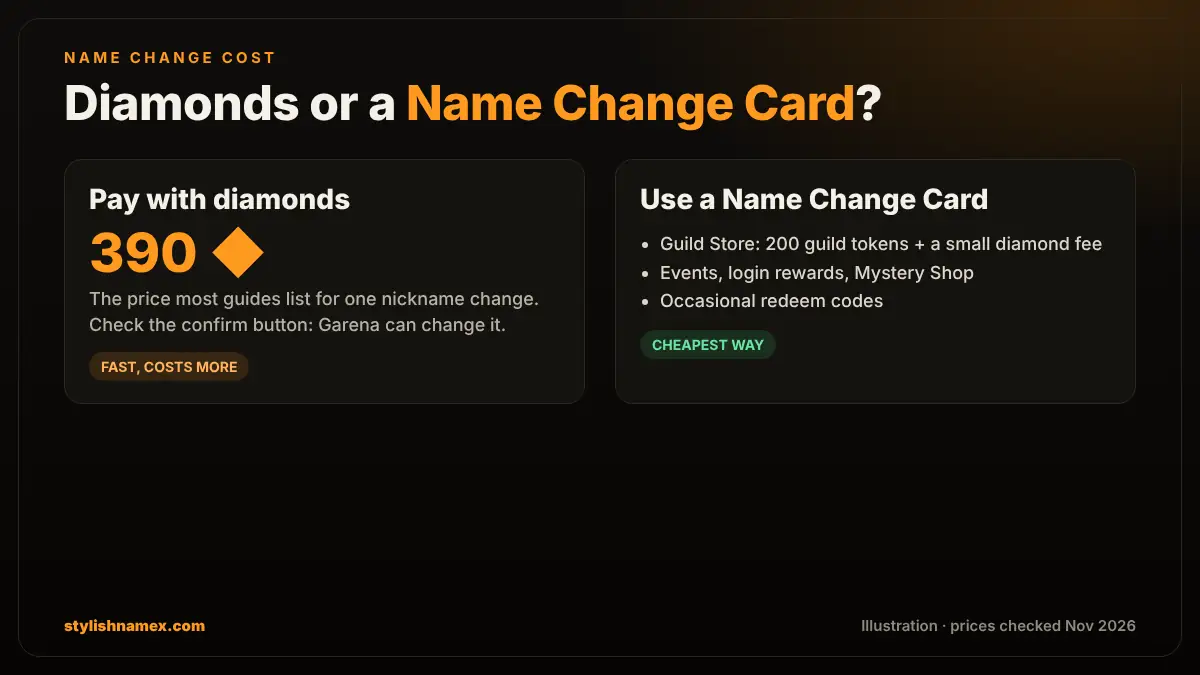
A Free Fire name change costs 390 diamonds according to most current guides, or one Name Change Card. Garena can change prices and regional stores can differ, so always read the amount on the confirm button before you tap it.
| Method | Cost | Best for |
|---|---|---|
| Diamonds | About 390 diamonds per change | Changing your name right now |
| Name Change Card (Guild Store) | 200 guild tokens plus a small diamond fee | Active guild members who save tokens |
| Name Change Card (events, Mystery Shop) | Free or discounted, depends on the event | Players who can wait for an event |
How to get a Free Fire Name Change Card
You can get a Free Fire Name Change Card by exchanging guild tokens in the store, from events and login rewards, from the Mystery Shop, and now and then from redeem codes.
- Guild tokens: open the Store, go to the Exchange or Guild tokens section and exchange about 200 guild tokens (plus a small diamond fee) for the card. You earn guild tokens by playing guild missions every week, which is one more reason to join a guild. Our guild name and guild creation guide explains how to start one.
- Events and login rewards: some events and daily login missions give a free Name Change Card. Check the Events tab before you pay diamonds.
- Mystery Shop and level-up shops: when these shops are open, the card is often sold at a personal discount.
- Redeem codes: official codes sometimes include a card, but only redeem them on the official Garena site. Never type your login on any other website.
Once you have the card, it waits in your Vault. The next time you open the rename box, choose the card instead of diamonds.
Free Fire name rules: why a name change fails
A new Free Fire name must be 12 characters or fewer, must not be used by another player, and must not contain blocked words or characters the game cannot accept.
- 12-character limit. Every letter, symbol and invisible blank counts. A short base name of 4 to 7 letters leaves room for a frame like 亗 or 『』. See the full name character limits guide.
- Unique names only. If someone already uses the name, the game rejects it. Change one letter, move a symbol or add a small mark such as ツ.
- No normal spaces. Free Fire does not accept a normal space in nicknames. Use the invisible space ㅤ from the invisible name page instead, for example KingㅤAli.
- Safe characters. Small caps (ᴋɪɴɢ) and common symbols (亗, 々, ツ, ×͜×) work for most players. Fancy maths fonts and emoji can be rejected or show as boxes on other phones.
- No offensive or fake names. Names that insult others or pretend to be Garena staff can be reported and changed by the game.
Pick a stylish name before you pay
Most players change their name to get a cooler, stylish nickname. Make it first, check it, then pay once:
- Type your name in the Free Fire name style generator. Every style shows its length out of 12 and a risk badge, so you know it will paste.
- Want more fonts and symbols for other apps too? Use the stylish name generator, which has 32 fonts and 80+ symbols.
- Playing with a squad? Match your name with your clan tag from the Free Fire clan name generator, for example ᴸᴳᴺ亗Ali for a guild called Legends.
Popular Free Fire name styles to try:
- 『ᴋɪɴɢ』亗
- ᴹᴿ᭄ꜱʜᴀᴅᴏᴡ
- ×͜×ʀᴇʙᴇʟ
- ɢʜᴏꜱᴛ々
- 亗ᴠᴇɴᴏᴍ亗
- ꜱɴɪᴘᴇʀツ
- Kingㅤ亗
- ♡ ᴀʏᴇꜱʜᴀ ♡
- ☬ʟᴇɢᴇɴᴅ☬
- ᴾᴿᴼ×͜×ᴀʟɪ
Stay safe: avoid name change apps and free diamond sites
There is no app that changes your Free Fire name for free. Name changes only happen inside the game. Apps or sites that ask for your Free Fire login, Facebook or Google password to give free diamonds or free name changes are a common way to steal accounts.
A name style generator like ours is different: it only creates text that you copy. It never asks for your player ID or password.
FAQ
How do I change my name in Free Fire?
Open your profile in the top-left of the lobby, tap the edit icon next to your nickname, paste the new name of up to 12 characters and confirm with diamonds or a Name Change Card.
How many diamonds does a Free Fire name change cost?
Most current guides list 390 diamonds for one name change. Prices can change by region or update, so check the amount on the confirm button before you pay.
How can I change my Free Fire name for free?
Use a Name Change Card. You can get one free or cheap from events, login rewards and the Mystery Shop, or exchange about 200 guild tokens for one in the store.
Can I use symbols in my Free Fire name?
Yes. Small caps and common symbols such as 亗, 々, ツ and 『』 work for most players. Every symbol counts toward the 12-character limit, and rare fonts or emoji can be rejected.
Can I put a space in my Free Fire name?
Not a normal space. Use the invisible character ㅤ (Unicode 3164) between words instead. It counts as one character.
Does a name change in Free Fire also change my Free Fire MAX name?
Yes. Free Fire and Free Fire MAX use the same account, so the new name shows in both.
Free Fire me name kaise change kare?
Lobby mein upar left par apni profile kholein, naam ke saath edit icon dabayein, naya naam (12 characters tak) paste karein aur diamonds ya Name Change Card se confirm karein.